PDF Edit API
Examples
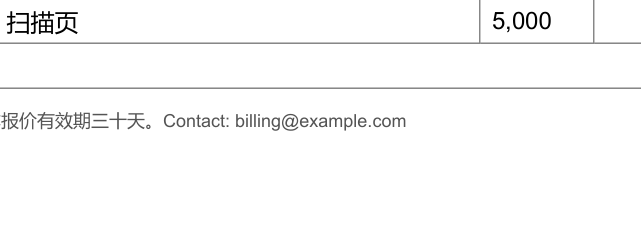
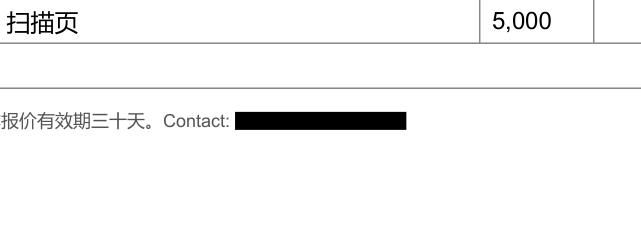
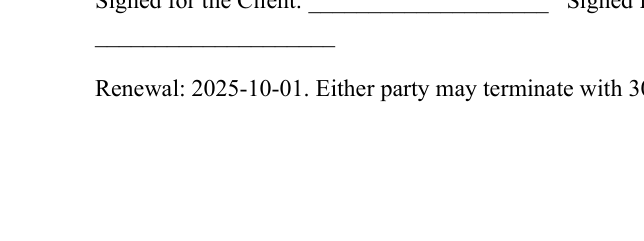
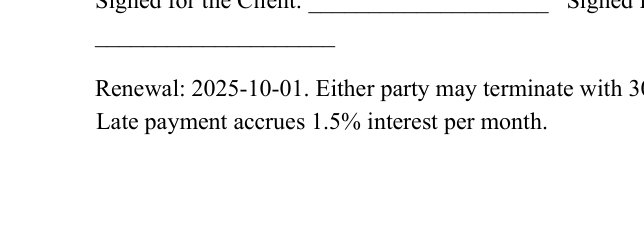
Ten before/after pairs, every one produced by the API itself with options.preview = "changes" over a real document or a test fixture. Nothing is retouched: each pair is one page, cropped to the edited text plus context, rendered from the input and from the output at the same zoom.
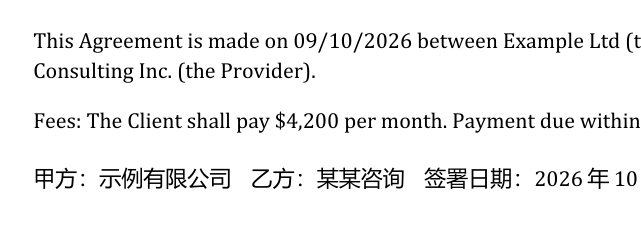
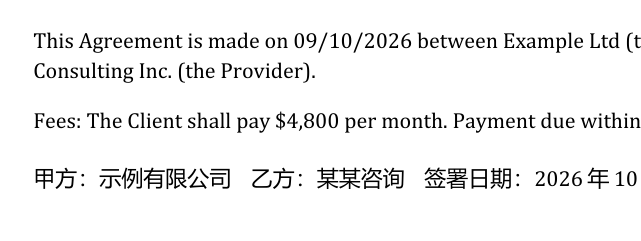
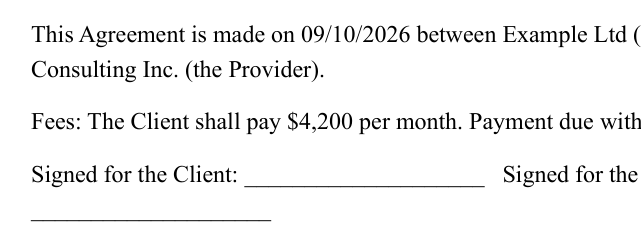
One call, no template: the amount changes, the embedded font and the rest of the line stay exactly as the generator wrote them.
{
  "edits": [
    {
      "find": "$4,200",
      "replace": "$4,800"
    }
  ]
}
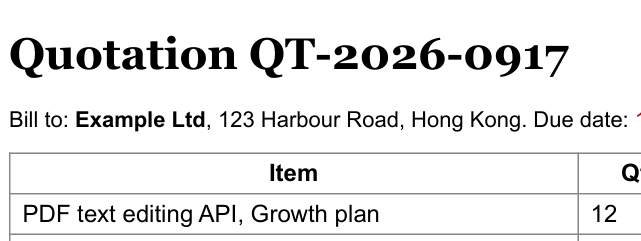
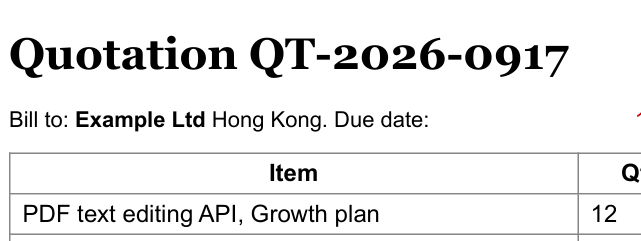
op: delete removes the street address; options.tidy collapses the double space and the stranded comma instead of leaving a gap.
{
  "edits": [
    {
      "op": "delete",
      "find": "123 Harbour Road, "
    }
  ],
  "options": {
    "tidy": true
  }
}
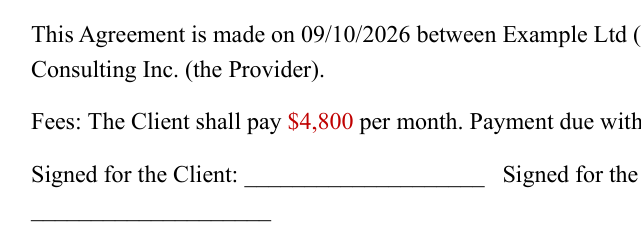
style sets the replacement's colour; fit: auto reports whether the new text had to be compressed to keep the line's layout.
{
  "edits": [
    {
      "find": "$4,200",
      "replace": "$4,800",
      "style": {
        "color": "#c00000"
      }
    }
  ]
}
The text is removed from the content stream and the pixels under the box are scrubbed: not covered with a black rectangle. redaction.found_in reports anywhere else the string still occurs.
{
  "edits": [
    {
      "op": "redact",
      "find": "billing@example.com"
    }
  ],
  "options": {
    "redact_metadata": true
  }
}
at.x/at.y is the baseline origin of the new line: the same coordinate a span's origin is reported in, so a position read out of /v1/text can be used here unchanged. The style is inherited from the nearest text, and the engine checks the page's own paper colour at the insertion point rather than overprinting ink. (at.after anchors on existing text instead; a below insert is refused when the next line already sits there.)
{
  "edits": [
    {
      "op": "insert",
      "text": "Late payment accrues 1.5% interest per month.",
      "at": {
        "page": 1,
        "x": 90,
        "y": 240
      }
    }
  ]
}
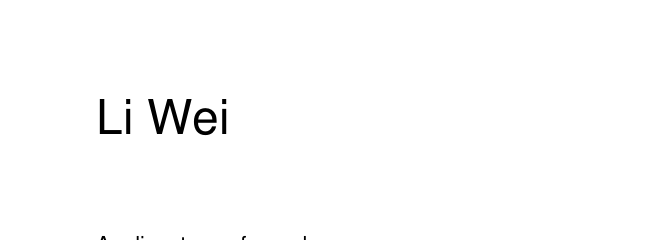
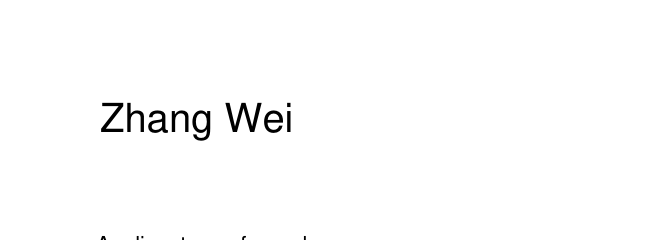
op: form writes the field's value and reads /V back after reopening the document, so the value is in the file and not only in the appearance stream.
{
  "edits": [
    {
      "op": "form",
      "fields": {
        "applicant": "Zhang Wei"
      }
    }
  ]
}
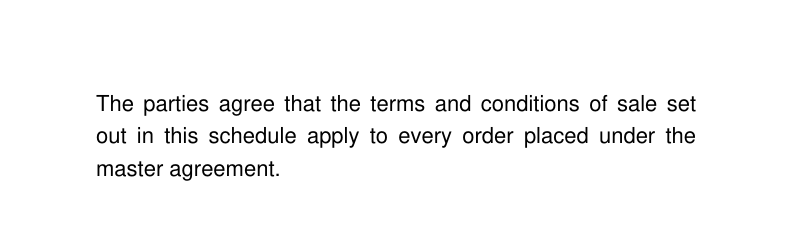
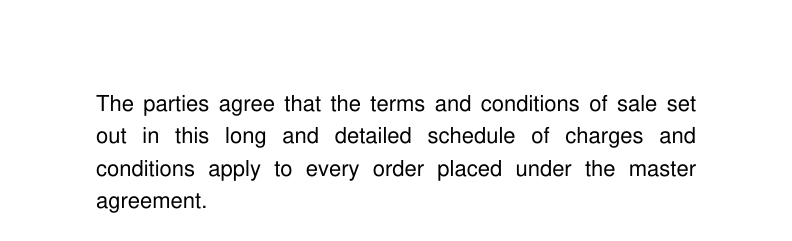
fit: reflow re-wraps the paragraph in its own measured alignment, leading and column: and measures the room below BEFORE erasing anything, so the paragraph underneath does not move.
{
  "edits": [
    {
      "find": "sale set out in this schedule",
      "replace": "sale set out in this long and detailed schedule of charges and conditions",
      "fit": "reflow",
      "match": {
        "across_lines": true
      }
    }
  ]
}
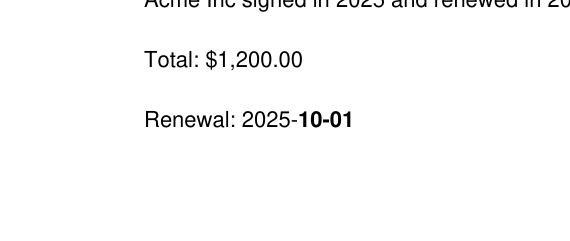
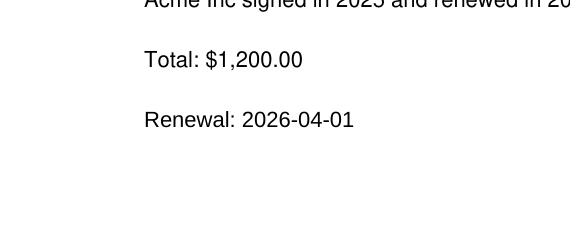
Renewal: 2025- is one span and 10-01 the next, in a different font. The matcher works on the line, so the phrase is found; the rewrite splits into runs so the untouched spans do not move.
{
  "edits": [
    {
      "find": "Renewal: 2025-10-01",
      "replace": "Renewal: 2026-04-01",
      "scope": {
        "pages": "2"
      }
    }
  ]
}
The header is one Form XObject drawn on every page. Editing page 1 un-shares it first and notes unshared_xobject, so pages 2 and 3 keep the original header instead of silently changing too.
{
  "edits": [
    {
      "find": "HEADER 2025 Report",
      "replace": "HEADER 2026 Report",
      "scope": {
        "pages": "1"
      }
    }
  ]
}

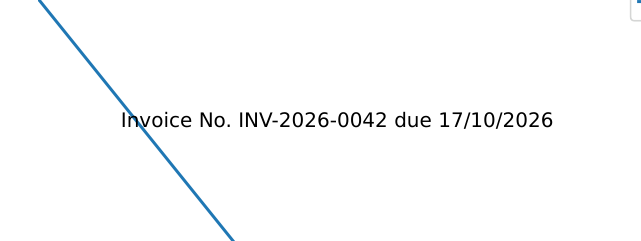
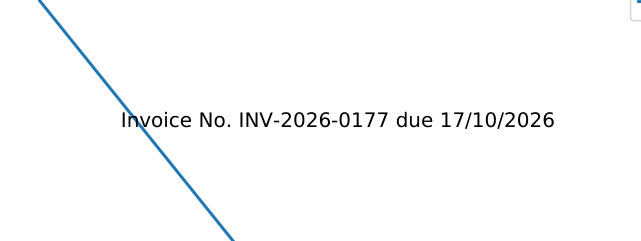
match.mode: regex (linear time, no lookaround) against text a plotting library emitted one glyph at a time.
{
  "edits": [
    {
      "find": "INV-2026-00\\d\\d",
      "replace": "INV-2026-0177",
      "match": {
        "mode": "regex"
      }
    }
  ]
}