 PDF Edit API
Redact a PDF by API: bytes gone, not covered
A black rectangle drawn over a number is not a redaction: the text is still in the file and still copies out. This API removes the matched text from the page's content, scrubs the pixels underneath, optionally sweeps document metadata, outlines and attachments, and then verifies the result by reading the page back. It also tells you where else in the document the same string occurs.
How it works
Match
Exact strings or regexes: every IBAN, every email, every 16-digit card number in one edit. Scope to pages or a region when needed.
Remove
The glyphs leave the content stream; the area is painted (box) or replaced with a placeholder; image pixels under the match are scrubbed; with redact_metadata the file's metadata, outlines and attachments are swept too.
Verify and report
The page is re-read to confirm the text is gone, and warnings name any other place the string survives, so nothing slips through on page 7.
The request
{"source": {"file_id": "f_…"},
 "edits": [{"op": "redact", "find": "\\b[A-Z]{2}\\d{2}(?: ?\\d{4}){4,7}\\b", "match": {"mode": "regex"}}],
 "options": {"redact_metadata": true}}
Or as one curl with a local file, getting the PDF straight back:
curl -sS https://api.niubai.vip/v1/edit -F file=@statement.pdf \
  -F 'edits=[{"op": "redact", "find": "4111 1111 1111 1111"}]' -H "Accept: application/pdf" -o statement.redacted.pdf
Real output
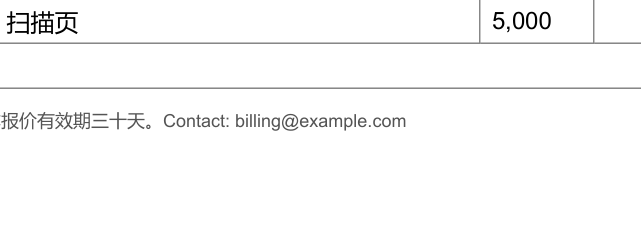
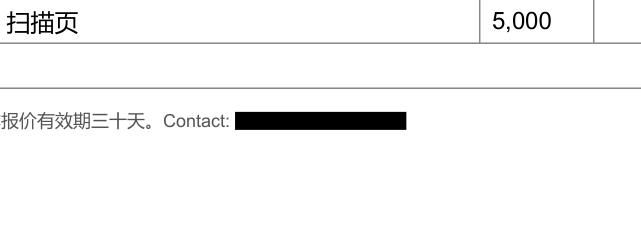
From an AI agent
Install once (claude mcp add pdfedit -- npx -y @niubai/pdfedit-mcp, or the buttons on the Cursor and VS Code pages; no Node: npx skills add zp130221/pdfedit-mcp), then say it in plain words:
Redact every IBAN and every email address in ./statement.pdf before I share it.Questions
Is the text really gone?
Yes. The characters are removed from the content stream, not hidden under a box; text extraction of the output no longer finds them, and the response's verification confirms it. The default mark is a black box; redact_style: text writes a placeholder instead.
What about scanned pages?
A redaction on a scanned word is refused, because the word is the image and covering it would leave it in the file. Rasterised pages need a different workflow.
Does it clean metadata and attachments?
With options.redact_metadata the document metadata, XMP, outlines, attachments and form fields are swept; any place the string survives is reported as a warning such as redacted_text_in_annotations.
Can I preview before committing?
Send options.dry_run: true to get the full report and the before/after previews without writing or billing anything.
Also: Replace text in a PDF by API · Fill PDF forms by API. Full reference: API reference · GitHub.